How a ReceiverLogs project works
Read this project tour to understand how receiver-log files become a Dataset and how metadata adds station, animal, and device context. It explains how the three application views fit together; use the linked task guides when you are ready to work with your own files.
The project at a glance
A ReceiverLogs project moves through four stages:
- Open a folder as a project.
- Use File Manager to discover receiver logs, choose which files belong in the Dataset, and apply those choices.
- Use Data Explorer to examine detections over a selected period.
- Use Metadata Composer when station, animal, or device context improves the analysis.
Open a project
The application header identifies the current project and provides access to File Manager, Metadata Composer, and Data Explorer.
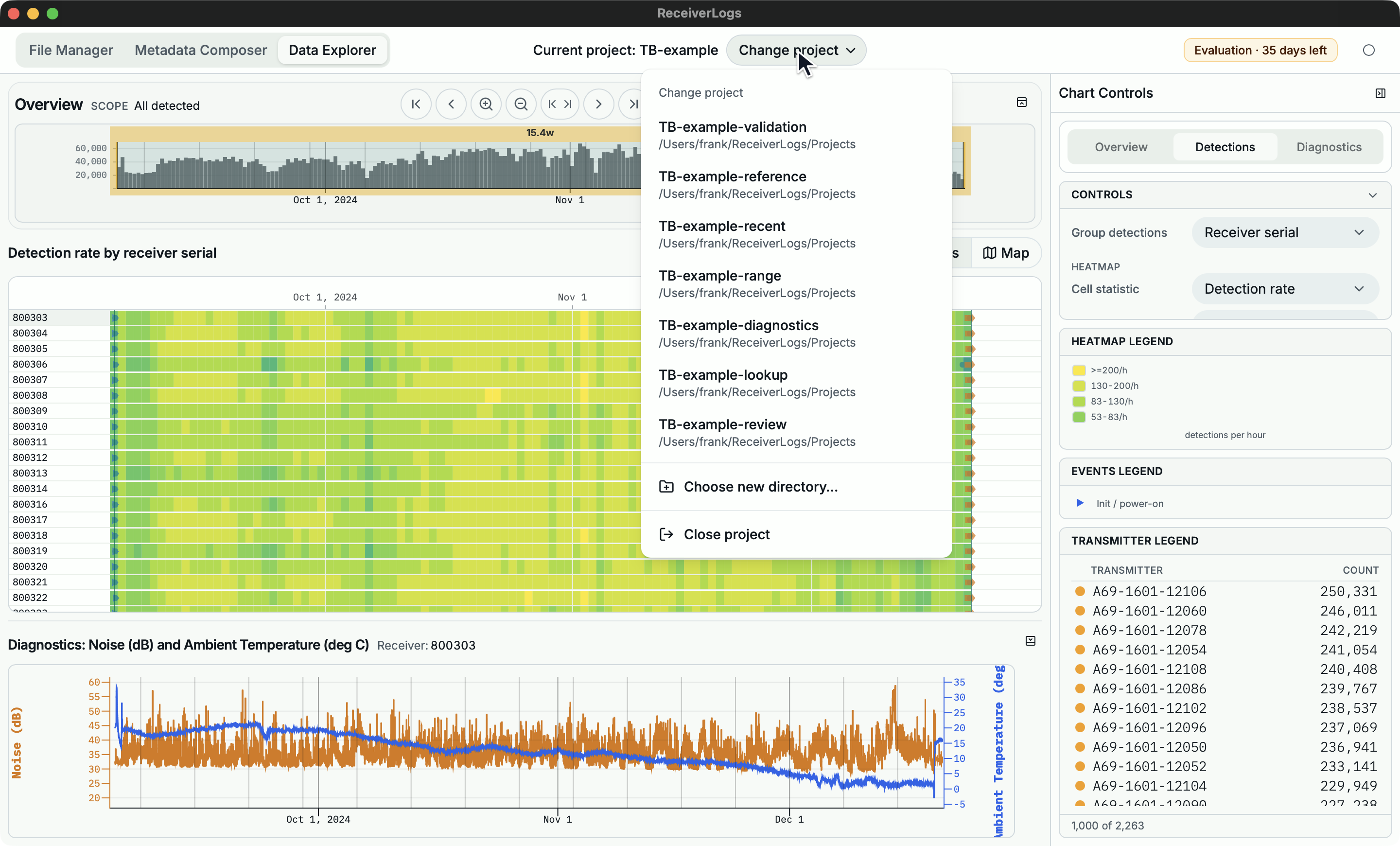
Opening a folder creates the app-managed ReceiverLogs.project support folder inside it. ReceiverLogs does not scan for receiver logs automatically, so opening a folder alone does not add records to the Dataset.
Review files and update the Dataset
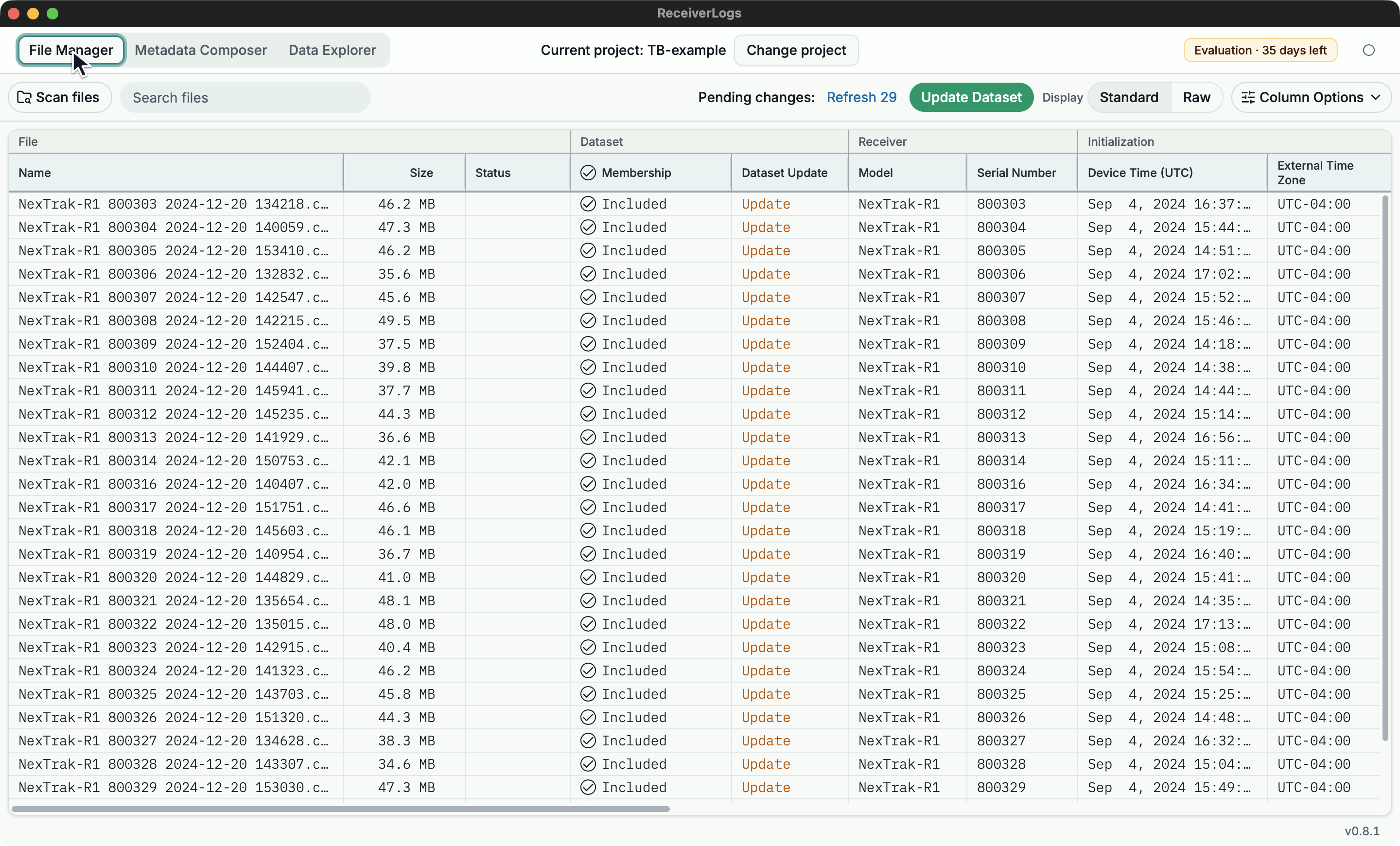
In File Manager, Scan files discovers supported receiver logs and compares them with the saved file list. New files begin outside the Dataset. A problem such as Inspection failed remains visible on the affected row so it can be repaired or left excluded.
Selecting Membership chooses which healthy files should contribute records. The Dataset Update column shows pending actions such as Add or Remove. Update Dataset applies the reviewed choices.
Until an update succeeds, Data Explorer continues to use the previous working Dataset. This protects existing analysis when a new or changed file cannot be applied safely.
Explore a time range
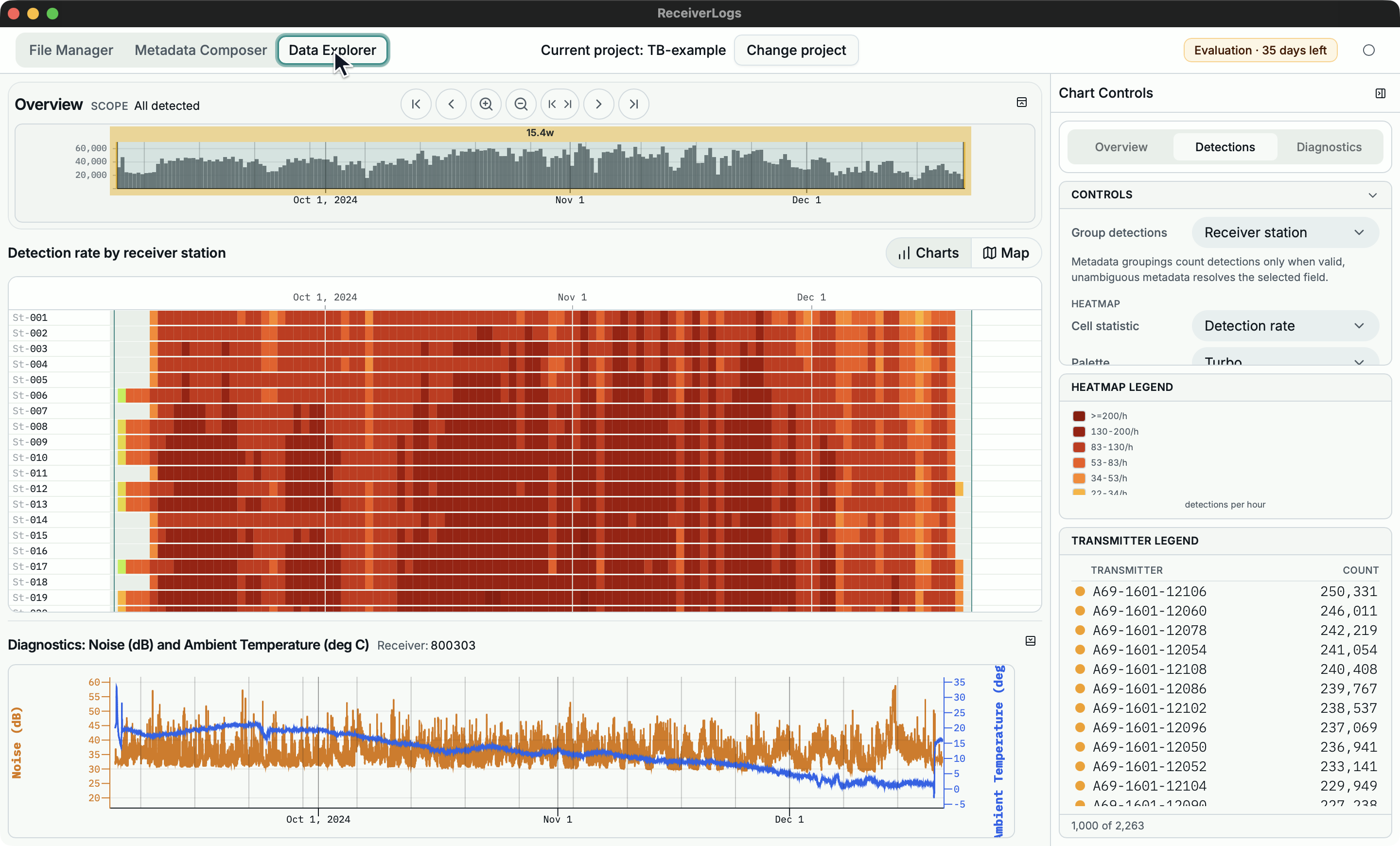
Data Explorer opens the current Dataset and begins with a usable time range. The overview shows activity across the Dataset. The detail chart, map, diagnostics chart, and right-hand controls all follow the selected period.
You can narrow the period with the overview or toolbar, group detections by receiver or transmitter, and use metadata-backed groupings after the required relationships have been added.
Add metadata context
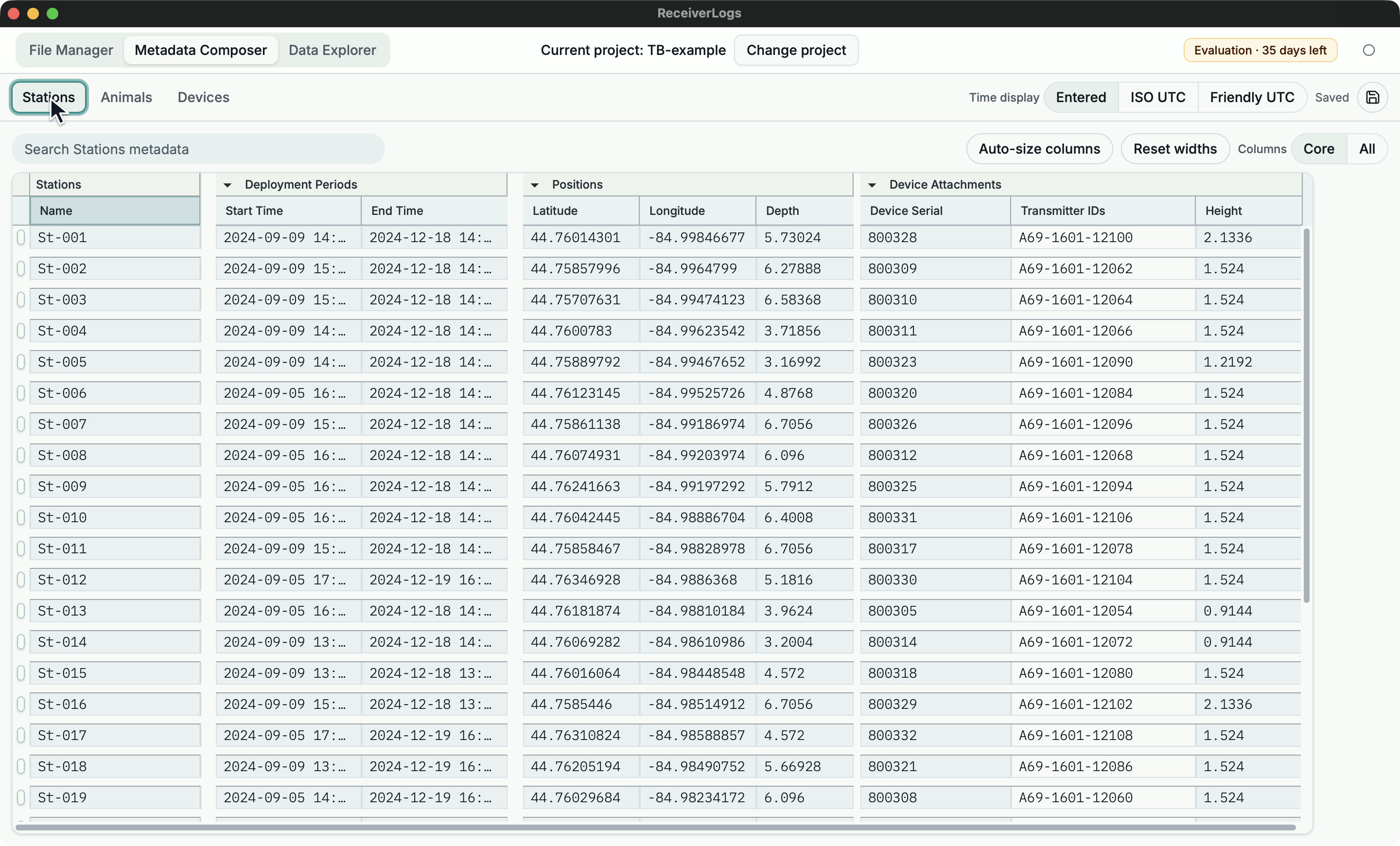
Metadata Composer describes the physical context behind detections:
- Stations contain deployment periods, positions, and attached devices.
- Animals contain tracking periods and attached devices.
- Devices contain hardware serials and transmitter IDs.
ReceiverLogs can then relate a receiver serial to a station, or a detected transmitter ID to a device and the station or animal carrying it during the selected period.
Continue with your project
| If you want to | Continue with |
|---|---|
| Install or update ReceiverLogs | Install, launch, and update ReceiverLogs |
| Build a Dataset from your receiver logs | Build your first Dataset |
| Explore a Dataset that is ready | Explore detections |
| Add or repair station, animal, or device context | Choose a metadata task |
| Check whether a receiver-log file is supported | Receiver-log compatibility and errors |
Limitations
This tour explains the workflow but is not a reproducible tutorial and does not include sample data. Use the linked task guides for current procedures, limits, and recovery steps.