Create and edit metadata
Use these procedures to create Devices, Stations, and Animals directly in Metadata Composer. For imports, use Import and discover metadata. For keyboard and table commands, use Metadata table controls.
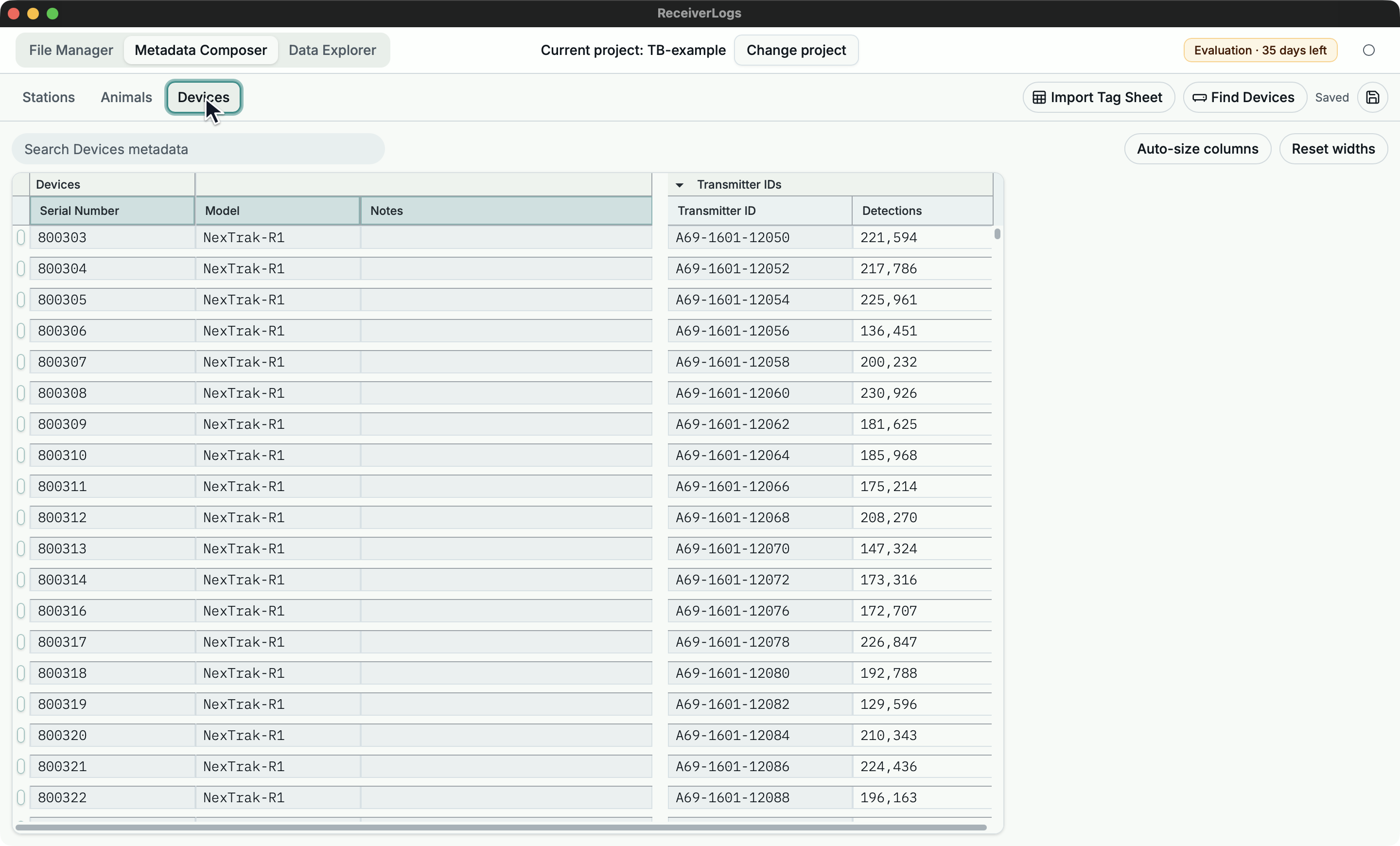
Create a device and transmitter ID
- Open Devices.
- In the trailing blank row, enter the hardware serial in Serial Number. Add Model or Notes when known.
- Expand Transmitter IDs if needed.
- Enter the transmitter ID exactly as it appears in detection records.
- Wait for Saved.
The device is ready when its serial and transmitter ID remain together after you switch away and return, and neither cell reports a duplicate identity. If another device already owns the ID, repair or merge the conflicting rows.
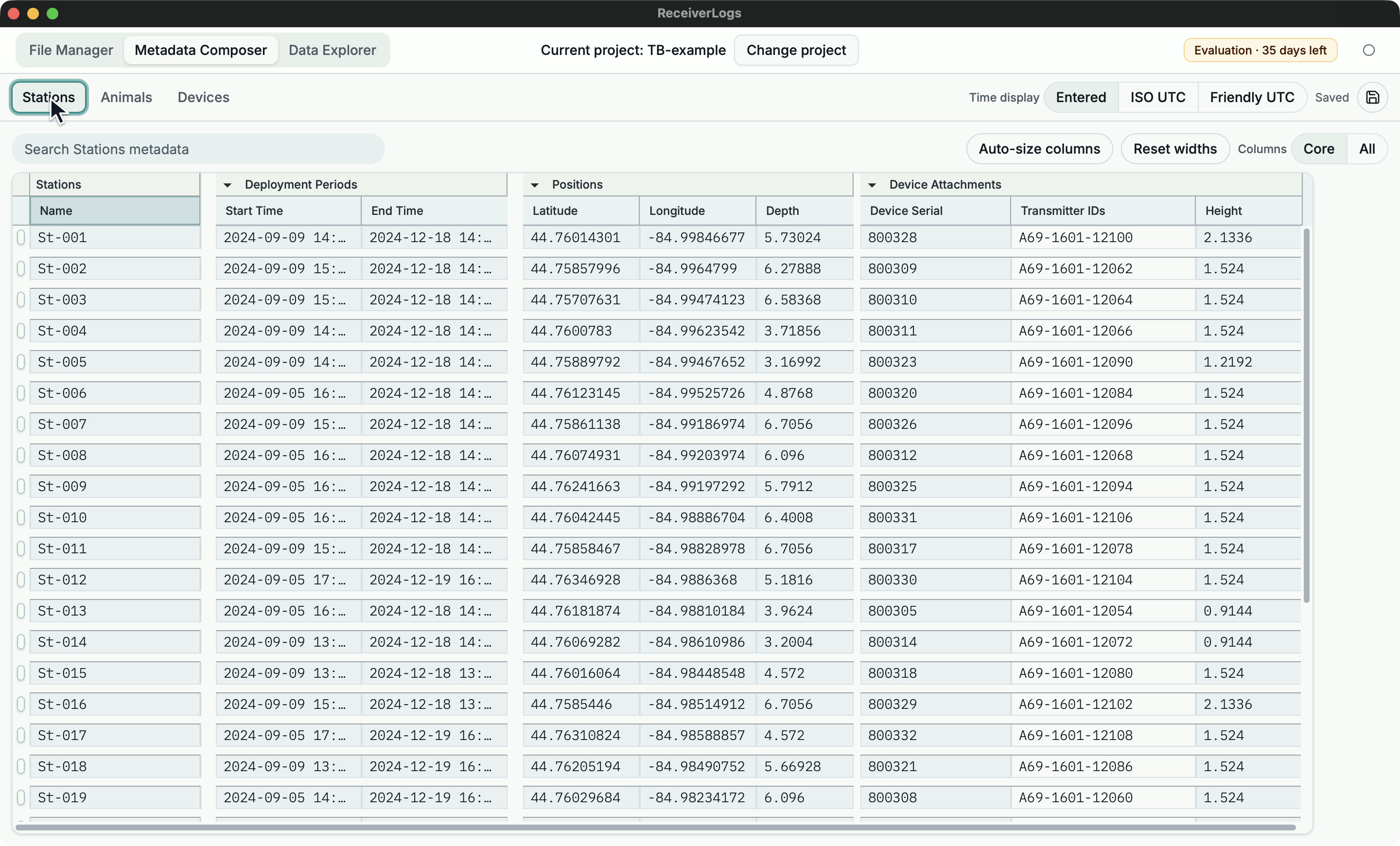
Describe a receiver station
- Create the receiver Device first if it does not exist.
- Open Stations and enter the station Name in the trailing blank row.
- Enter the deployment Start Time and End Time when known. A blank boundary leaves that side open.
- Enter Latitude and Longitude in the first Position row. Add Depth when known.
- Enter the receiver's exact Device Serial in the first Device Attachment row. Add attachment times or Height only when needed.
- Wait for Saved, then resolve any coordinate, interval, missing-device, duplicate-identity, or overlapping-attachment issue.
The station is ready for map use when a valid position and one unambiguous receiver attachment cover the intended period.
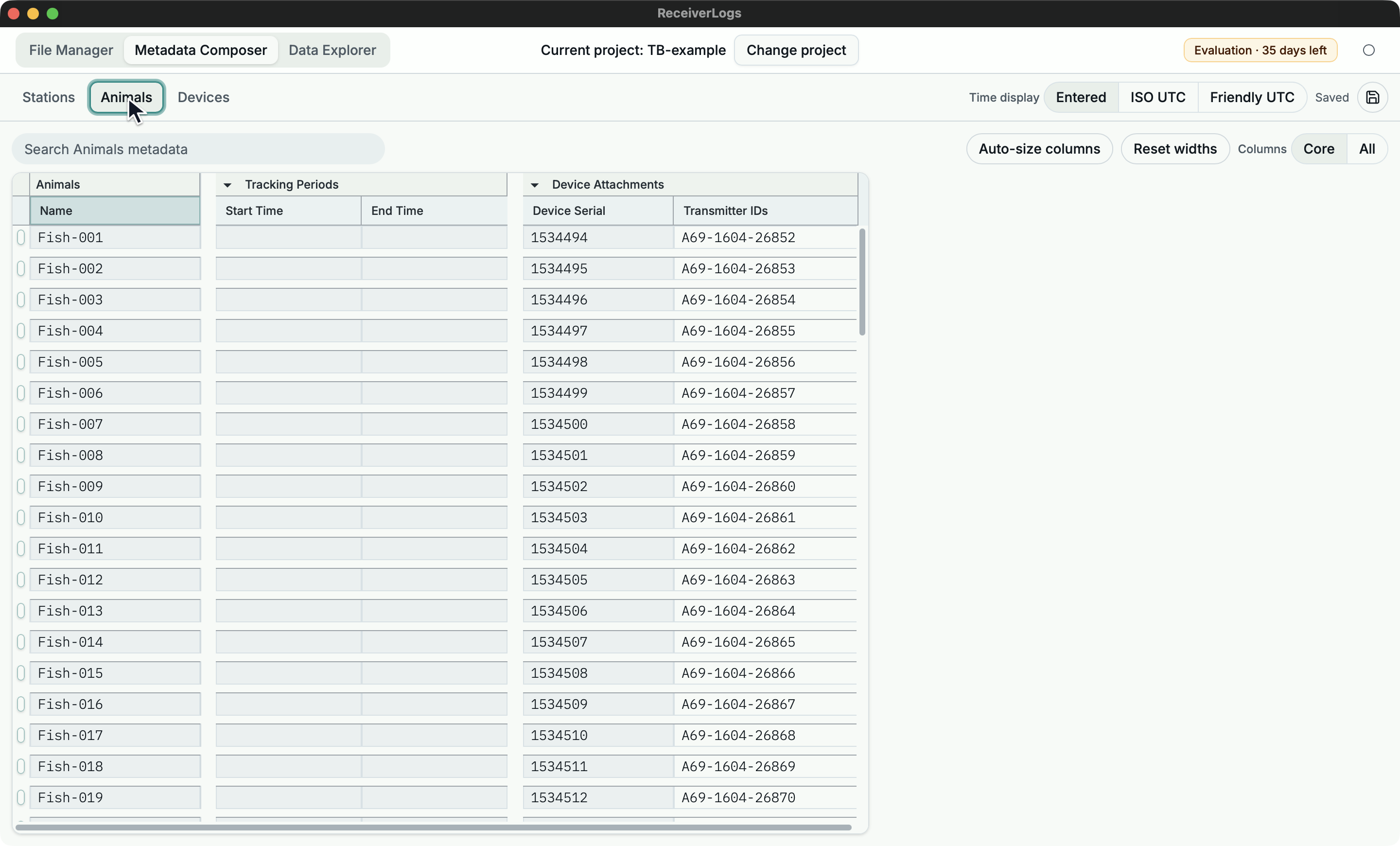
Describe a tracked animal
- Ensure the animal's Device and transmitter ID exist in Devices.
- Open Animals and enter the animal Name in the trailing blank row.
- Enter the tracking Start Time and End Time when known.
- Enter the exact Device Serial in the first Device Attachment row and add narrower attachment times if needed.
- Wait for Saved, then resolve any missing-device, interval, duplicate-identity, or overlapping-attachment issue.
The animal is ready for grouping when the detected transmitter ID identifies one Device and that Device is attached to the animal during the intended period.
A normal authoring workflow
Before starting, open the intended project and wait for Reading metadata... to clear. If you plan to use Find Devices, first use Update Dataset in File Manager so the Dataset contains current detection records.
- Add or review Devices.
- Add transmitter IDs for devices that transmit.
- Add Stations or Animals.
- Add deployment or tracking periods.
- Add station positions and device attachments inside the appropriate period.
- Repair validation issues that affect the relationships you need.
- Wait for Saved.
The task is complete when the intended rows remain after leaving and returning to the workbench and no issue makes the required relationship ambiguous or unusable.
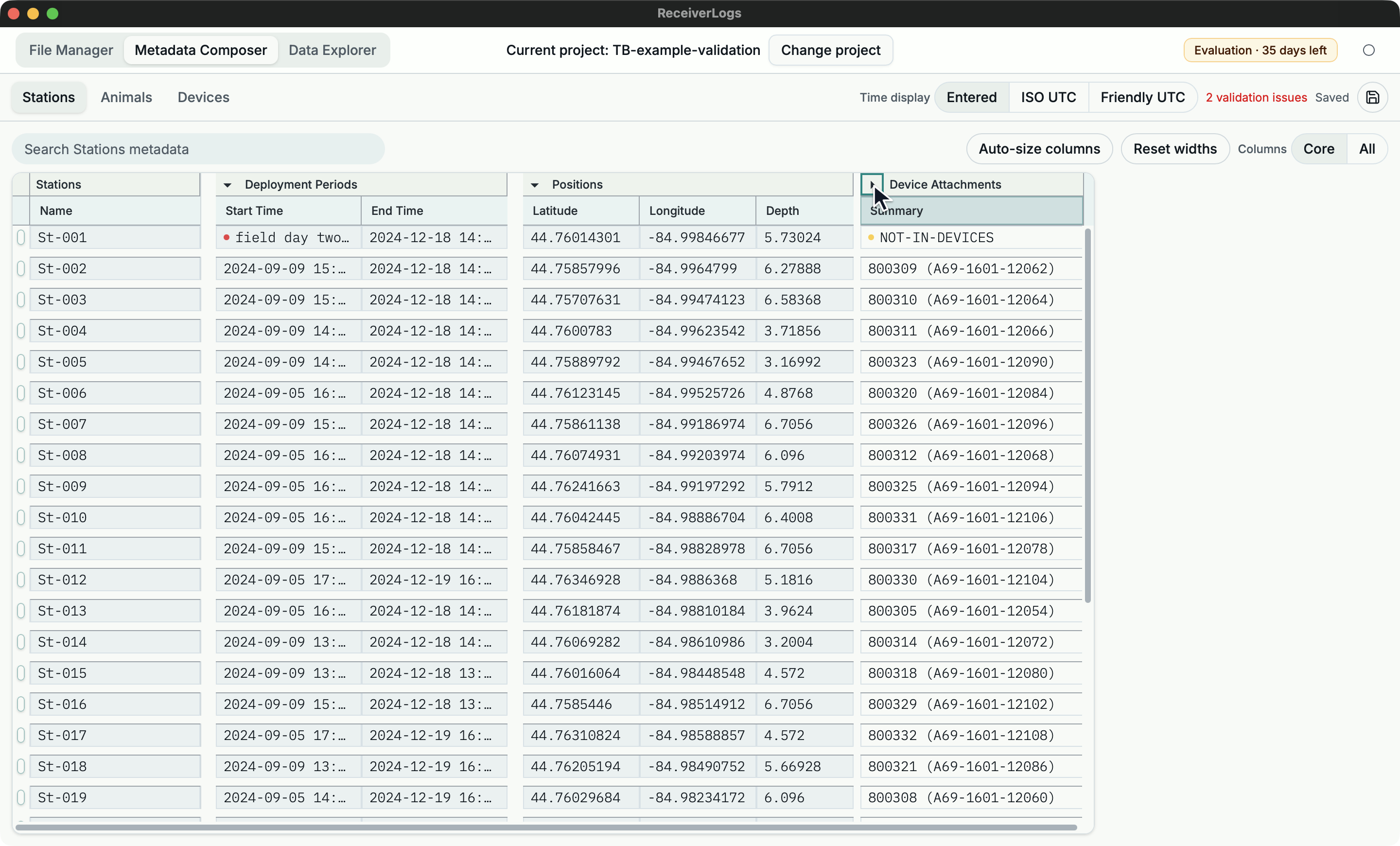
You may start from Devices, Stations, Animals, imported tables, or receiver-log evidence. Devices remain the shared hardware list; Stations and Animals describe where and when that hardware was attached.
Related tasks
- Build Devices from the current Dataset
- Import a station or device table
- Import a tag sheet
- Repair a metadata-backed grouping
- Enter or repair dates and coordinates
Limitations
ReceiverLogs does not currently calculate an attached Device's exact position from the host position and attachment offsets. Metadata can be saved with non-blocking issues, but Data Explorer ignores relationships that are invalid or ambiguous.